

因为工作需要,需要压缩图片的大小,基本都是小于100K的,就压缩体积,用不着其他的功能,于是就有了这个代码,也可以自定义压缩多大,但是不那么精确,还导入多张图片
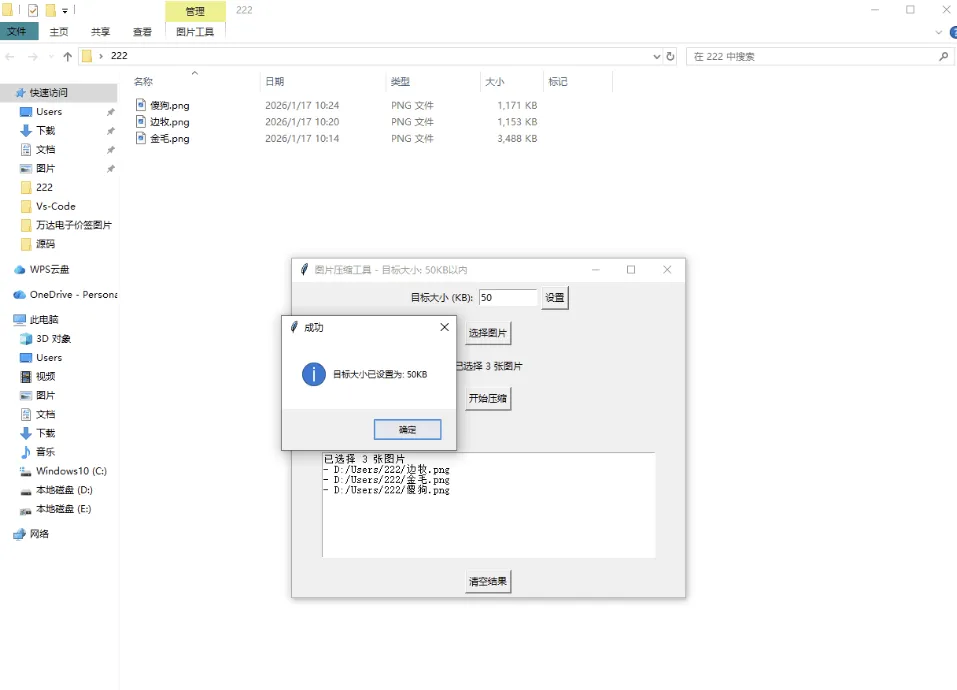
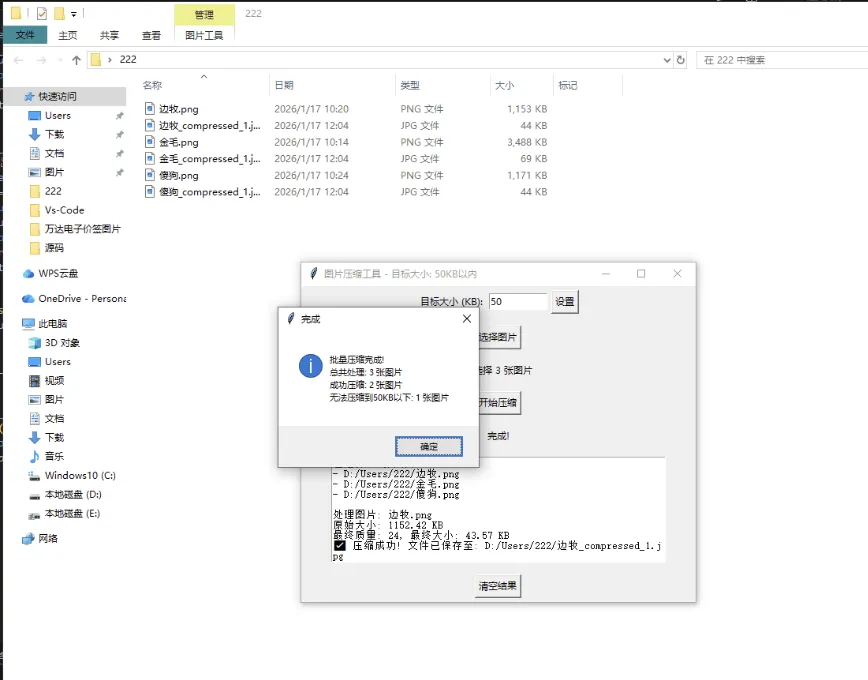
import tkinter as tkfrom tkinter import filedialog, messageboxfrom PIL import Imageimport osclass ImageCompressor:def __init__(self, root):self.root = rootself.root.title("图片压缩工具 - 目标大小: 100KB以内")self.root.geometry("500x400")self.target_size = tk.IntVar(value=100)self.create_widgets()def create_widgets(self):target_frame = tk.Frame(self.root)target_frame.pack(pady=5)tk.Label(target_frame, text="目标大小 (KB):").pack(side=tk.LEFT)self.target_size_entry = tk.Entry(target_frame, width=10, textvariable=self.target_size)self.target_size_entry.pack(side=tk.LEFT, padx=5)tk.Button(target_frame, text="设置", command=self.set_target_size).pack(side=tk.LEFT)self.select_btn = tk.Button(self.root, text="选择图片", command=self.select_images)self.select_btn.pack(pady=10)self.file_label = tk.Label(self.root, text="未选择图片", wraplength=400)self.file_label.pack(pady=5)self.compress_btn = tk.Button(self.root, text="开始压缩", command=self.compress_images, state=tk.DISABLED)self.compress_btn.pack(pady=10)self.progress_label = tk.Label(self.root, text="")self.progress_label.pack(pady=5)self.result_text = tk.Text(self.root, height=10, width=60)self.result_text.pack(pady=10)self.clear_btn = tk.Button(self.root, text="清空结果", command=self.clear_results)self.clear_btn.pack(pady=5)self.image_paths = []def set_target_size(self):"""设置目标压缩大小"""try:size = int(self.target_size.get())if size <= 0:messagebox.showerror("错误", "目标大小必须大于0KB")returnif size > 10000:messagebox.showwarning("警告", "目标大小过大,建议设置一个小于10MB的值")self.root.title(f"图片压缩工具 - 目标大小: {size}KB以内")messagebox.showinfo("成功", f"目标大小已设置为: {size}KB")except ValueError:messagebox.showerror("错误", "请输入有效的数字")def select_images(self):file_paths = filedialog.askopenfilenames(title="选择要压缩的图片",filetypes=[("Image files", "*.jpg *.jpeg *.png *.bmp *.tiff *.webp"),("All files", "*.*")])if file_paths:self.image_paths = list(file_paths)self.file_label.config(text=f"已选择 {len(self.image_paths)} 张图片")self.compress_btn.config(state=tk.NORMAL)self.result_text.insert(tk.END, f"已选择 {len(self.image_paths)} 张图片 ")for path in self.image_paths:self.result_text.insert(tk.END, f"- {path} ")def compress_images(self):if not self.image_paths:messagebox.showerror("错误", "请选择至少一张图片")returntotal_images = len(self.image_paths)success_count = 0for i, image_path in enumerate(self.image_paths):try:self.progress_label.config(text=f"正在处理第 {i+1}/{total_images} 张图片...")self.root.update()original_size = os.path.getsize(image_path) / 1024self.result_text.insert(tk.END, f" 处理图片: {os.path.basename(image_path)} ")self.result_text.insert(tk.END, f"原始大小: {original_size:.2f} KB ")img = Image.open(image_path)if img.mode in ('RGBA', 'LA', 'P'):img = img.convert('RGB')output_path = self.generate_output_path_batch(image_path)quality = 95while True:img.save(output_path, "JPEG", optimize=True, quality=quality)compressed_size = os.path.getsize(output_path) / 1024self.progress_label.config(text=f"正在处理: {os.path.basename(image_path)}, 当前质量: {quality}, 大小: {compressed_size:.2f}KB")self.root.update()if compressed_size <= self.target_size.get() or quality <= 10:breakif compressed_size > self.target_size.get() * 1.5:quality -= 15elif compressed_size > self.target_size.get() * 1.2:quality -= 8else:quality -= 5quality = max(quality, 10)final_size = os.path.getsize(output_path) / 1024self.result_text.insert(tk.END, f"最终质量: {quality}, 最终大小: {final_size:.2f} KB ")if final_size <= self.target_size.get():self.result_text.insert(tk.END, f"✅ 压缩成功! 文件已保存至: {output_path} ")success_count += 1else:self.result_text.insert(tk.END, f"⚠️ 无法压缩到{self.target_size.get()}KB以下,最低压缩到: {final_size:.2f} KB ")self.root.update()except Exception as e:self.result_text.insert(tk.END, f"❌ 压缩失败: {str(e)} ")messagebox.showerror("错误", f"压缩过程中出现错误: {str(e)}")self.progress_label.config(text="完成!")messagebox.showinfo("完成", f"批量压缩完成! 总共处理: {total_images} 张图片 成功压缩: {success_count} 张图片 无法压缩到{self.target_size.get()}KB以下: {total_images - success_count} 张图片")def generate_output_path_batch(self, input_path):"""为批量处理生成输出文件路径"""base_name, ext = os.path.splitext(input_path)counter = 1while True:output_path = f"{base_name}_compressed_{counter}.jpg"if not os.path.exists(output_path):return output_pathcounter += 1def generate_output_path(self):"""生成输出文件路径"""base_name, ext = os.path.splitext(self.image_path)counter = 1while True:output_path = f"{base_name}_compressed_{counter}.jpg"if not os.path.exists(output_path):return output_pathcounter += 1def clear_results(self):self.result_text.delete(1.0, tk.END)def compress_image(self):passif __name__ == "__main__":root = tk.Tk()app = ImageCompressor(root)root.mainloop()
复制代码
